 Besorah
The whole Bible,
in the languages it was written in.
The Tanakh in Hebrew and the Septuagint, the New Testament in Greek and Hebrew, and the Apocrypha — every text paired with English, in the traditional Jewish book order, with study tools built in.

Free to use in your browser — nothing to install, works offline once loaded. The iPhone & iPad app is on the App Store; the Mac App Store app is on the way.
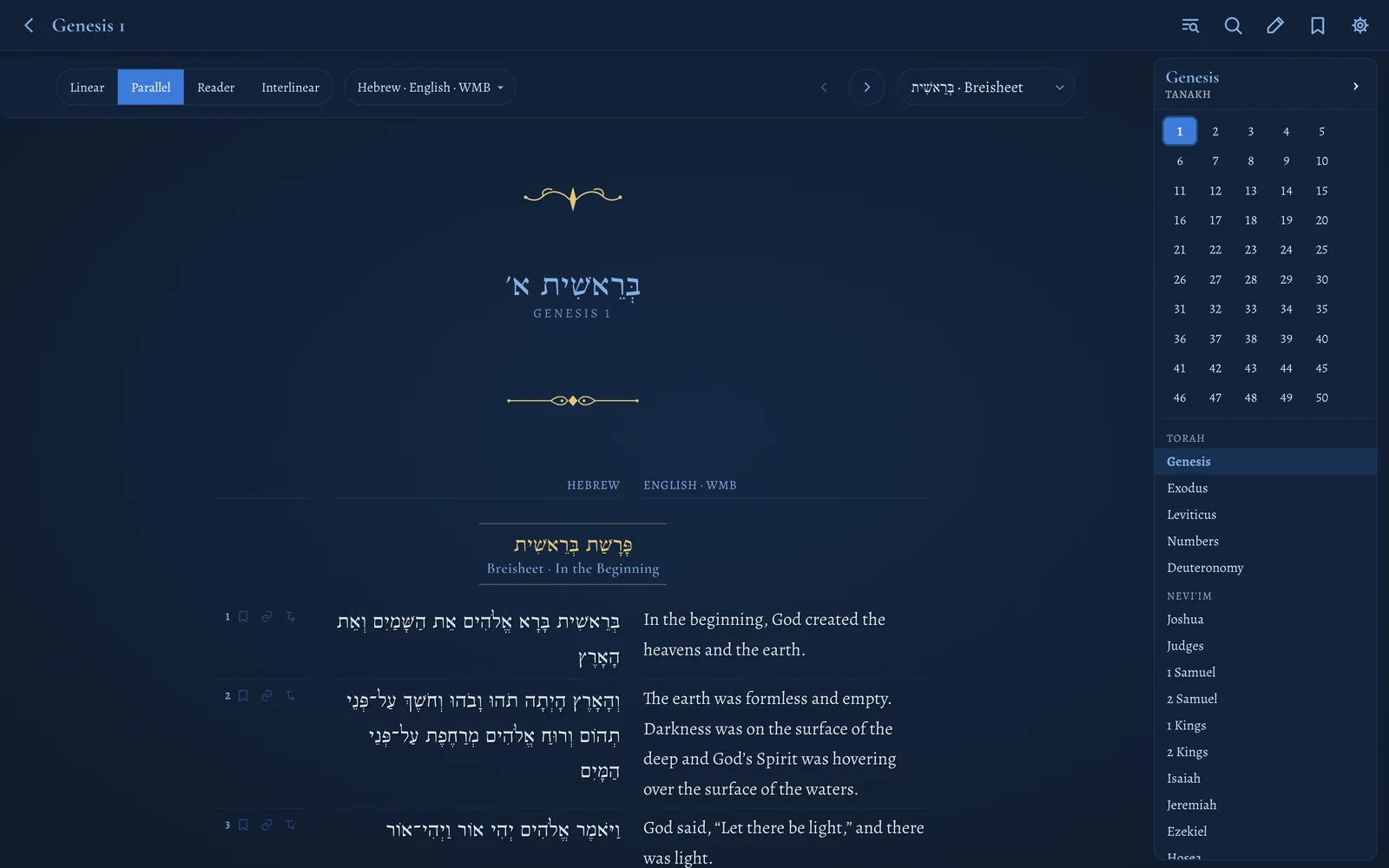
The whole Bible, plus the Apocrypha
Two volumes on the shelf, four original-language texts, and the Septuagint’s extra books — each original paired with its English, sharing one numbering so lines always match up.
Tanakh
Torah → Nevi’im → Ketuvim in the traditional Jewish order — Genesis to Chronicles, 39 books.
- Hebrew · Westminster Leningrad CodexVowel points kept, cantillation stripped for easy reading
- Septuagint · Brenton’s Greek & EnglishAligned verse-by-verse to the Hebrew numbering
- English · World Messianic BibleRe-versified onto the Hebrew numbering so it lines up
- Targumim · Onkelos, Pseudo-Jonathan & Jonathan on IsaiahAramaic and English (Etheridge), beside the book they translate
New Covenant
Matthew to Revelation — all 27 books, in two original-language editions.
- Greek · SBL Greek New TestamentCritical text with its apparatus sigla
- Hebrew · Salkinson–GinsburgThe classic Hebrew translation of the New Testament
- English · World Messianic BibleTravels with each original
Apocrypha
The books found only in the Septuagint, in their own Apocrypha section at the end of the Tanakh index — Greek with Brenton’s English.
- Wisdom · Sirach · Baruch
- Tobit · Judith
- Maccabees · 1 Esdras
- Bel · Susanna · Prayer of Manasseh …and the rest of the Septuagint canon
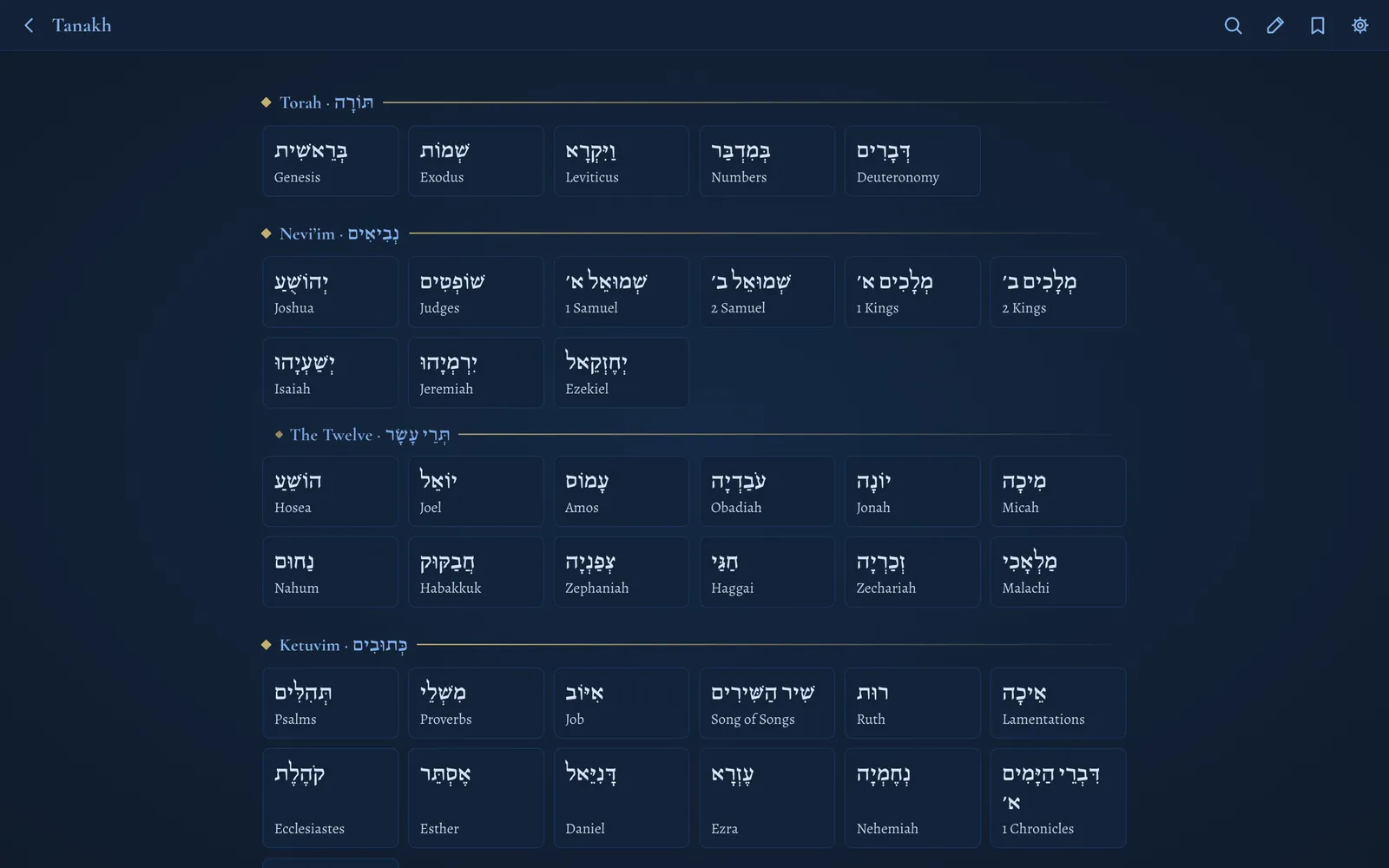
Hebrew numbering is canonical. The Greek texts are mapped to it — including the Psalms’ different numbering and the Jeremiah chapter reordering — so switching between Hebrew and Septuagint always lands you in the right place.
Four ways to lay out a page
Choose which texts to show with one tap — each is a column — then choose how they’re arranged.
Parallel
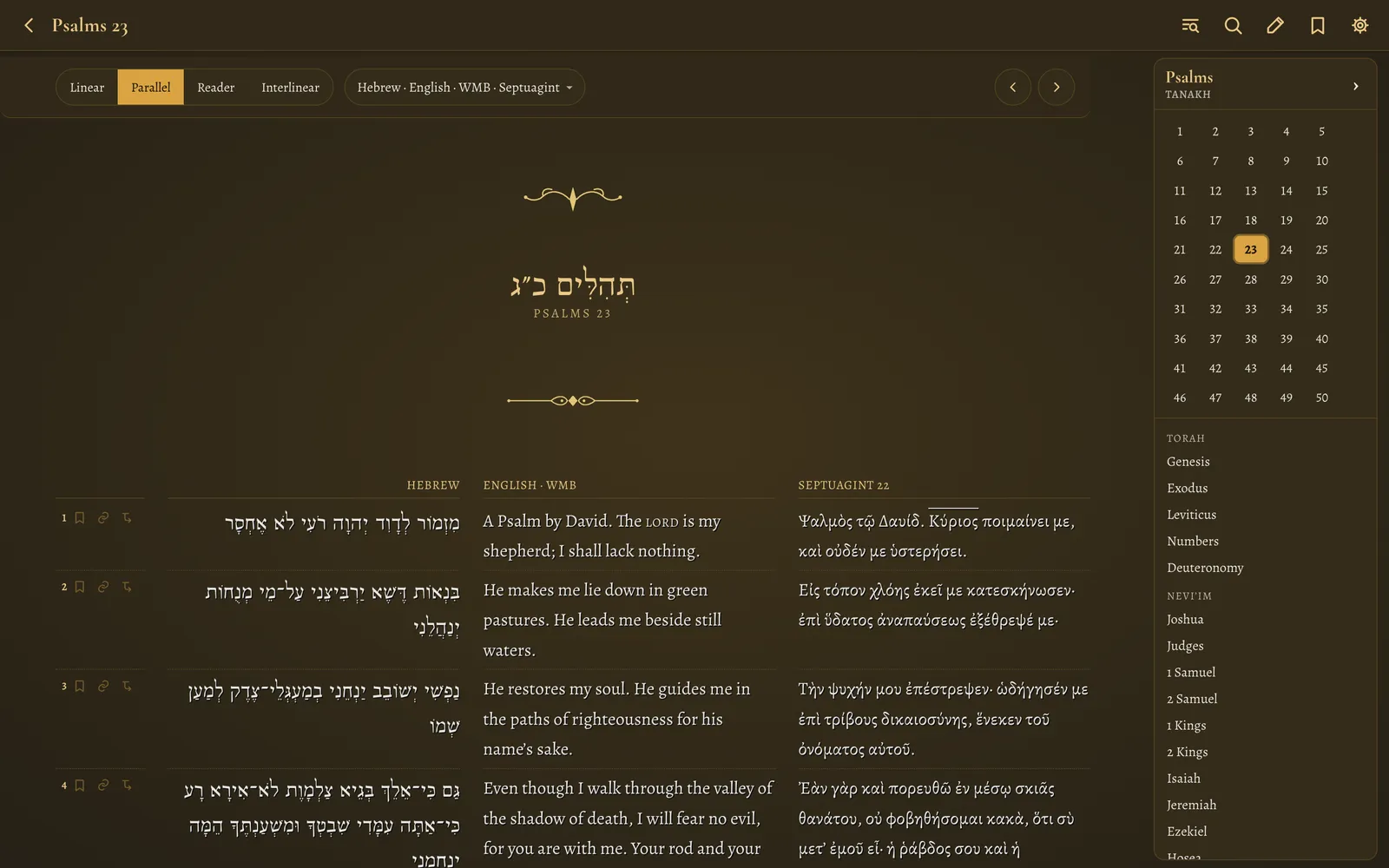
Hebrew, Septuagint and English side by side, verse for verse. Add or remove columns from the Texts menu: any combination of the originals and their English translations.
- Septuagint verses align to the Hebrew by verse, even where the two are numbered differently
- Verse rows stay aligned across columns
- Hebrew and Greek set right-to-left / left-to-right correctly, with proper typefaces
Interlinear
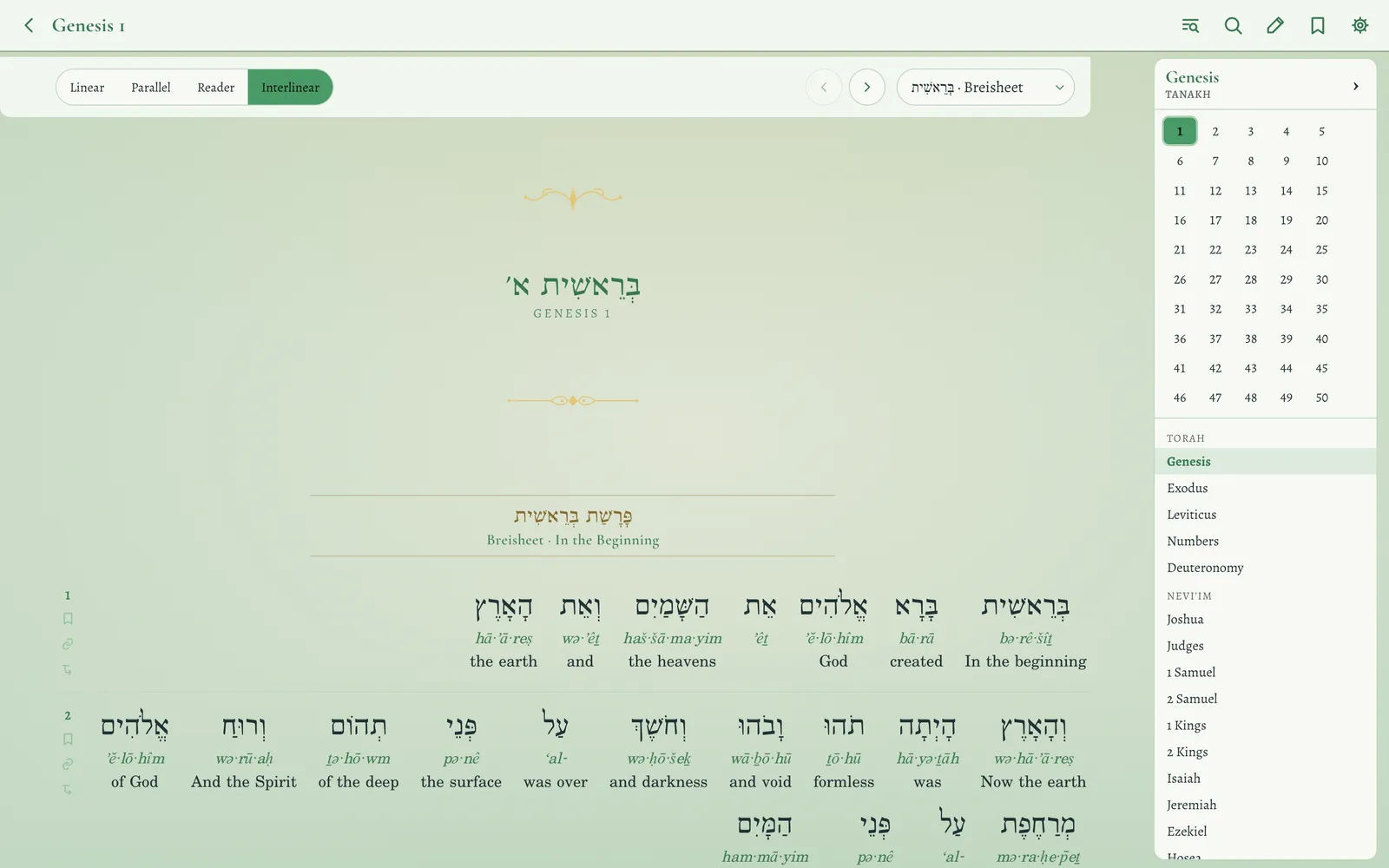
Every word becomes a stack: the original, its transliteration, and the English beneath it. Tap any word for its full dictionary card.
- Hebrew Old Testament and Greek New Testament, word-aligned
- Septuagint with transliteration and short glosses
- Hebrew New Testament — approximate, and labelled as such
- Separate size controls for the original, transliteration and English
Reader
One text flowing as prose, with real paragraph breaks from the source editions, drop-cap openings and inline verse numbers. For when you want to simply read.
Linear
Texts stacked per verse — each verse shows its Hebrew, then its English, then the next verse. Ideal on a phone.
Switch source
Hebrew ↔ Septuagint in the Tanakh; Greek ↔ Hebrew in the New Testament. The English travels with whichever original you pick.
Shareable links
The address bar always carries exactly what you’re looking at — the view, the columns and a verse — so a copied link reopens the same page.
The details scholars and scribes notice
The text is typeset with the conventions of the manuscript tradition rather than flattened into plain lines.
Poetry as poetry
The Song of the Sea, Haazinu, the Song of Deborah, David’s song — and the New Covenant canticles of Mary, Zechariah and Simeon — set in their scribal line-shape.
Acrostics marked
Psalm 119, 145, 34, Proverbs 31 and Lamentations show each stanza’s Hebrew letter in gold.
Scribal traditions
Inverted nuns, the large ע and ד of the Shema, the small ה of Genesis 2:4, suspended letters — drawn as scribes wrote them.
The Name, reverently set
The Tetragrammaton is set apart in Hebrew; Greek nomina sacra can be shown with an overline or contracted to ΘΣ / ΚΥ as the earliest copyists wrote them.
Weekly Torah portion
This week’s parashah, Haftarah (Ashkenazi, Sephardi or Yemenite) and Besorah reading, checked off as you go. Calendar built in to 2035.
Reading plans
Bible in a year, New Testament in 90 days, the four Gospels in 30, the Torah in 60, Psalms & wisdom in 90 — plus Five Psalms a day and a daily whole-Bible walk.
Search every verse, in every language
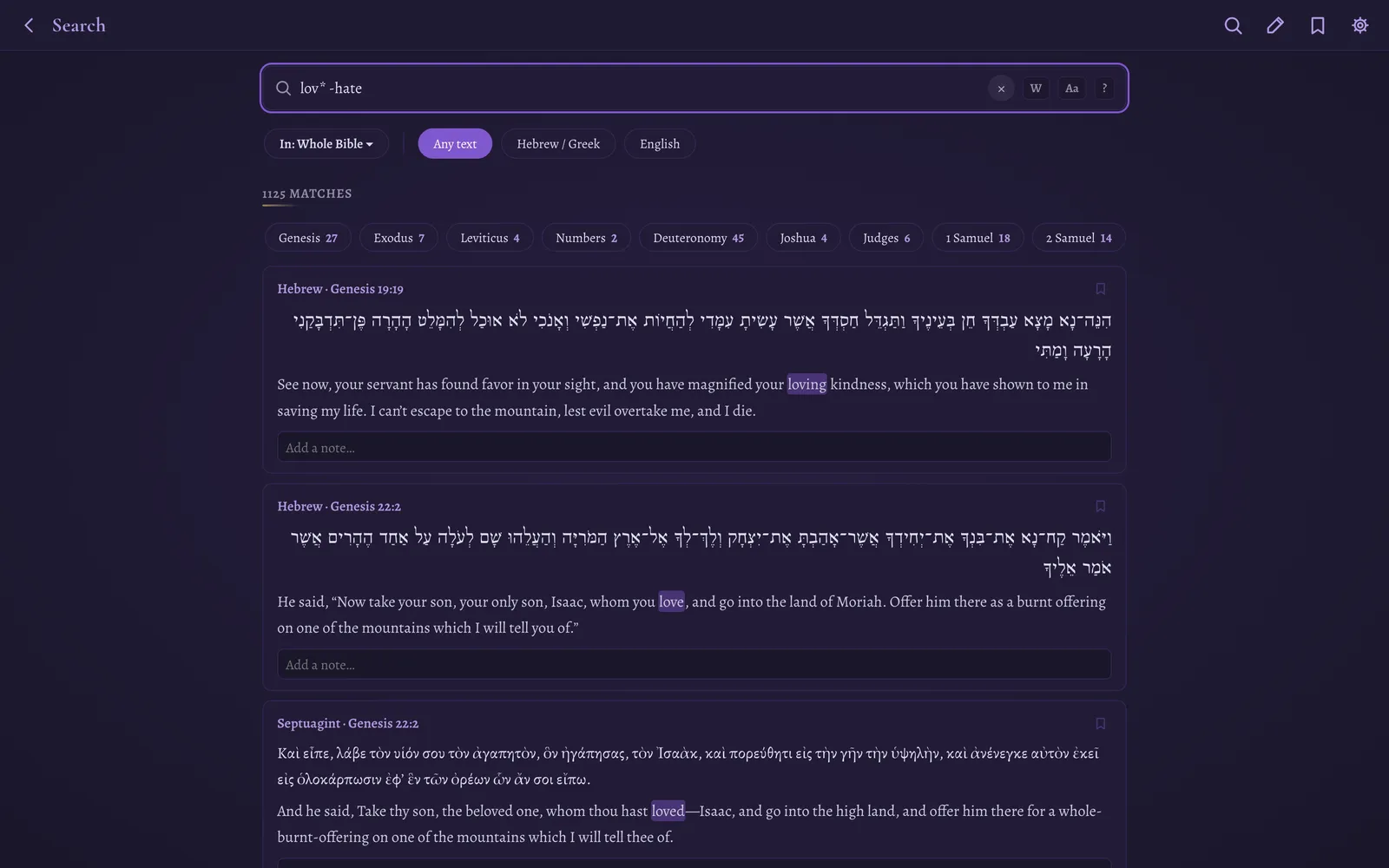
One search box finds matches across the Hebrew, Greek and English at once — and it knows that שָׁלוֹם and שלום are the same word.
- Vowel- and accent-insensitive: type plain letters, match pointed and accented text; final letters (ך ם ן ף ץ, ς) fold to their medial forms
- Real search grammar:
"exact phrase",lov*wildcards,+must-exclude, and full/regex/flagsthat match the pointed text, with Unicode-aware word boundaries - By Strong’s number:
strong:H430finds every verse using a word — across the Hebrew Bible, or both Greek editions forGnumbers - Scope it (“In:”): Torah, Prophets, Writings, Gospels, Pauline letters, the Targumim, Apocrypha — about twenty collections, or any single book
- Filter by text: Hebrew/Greek originals only, English only, or the Targumim only; restrict to the Tanakh or the New Testament; whole-word and case-sensitive toggles
- Filter the results: a “Show” row narrows hits to the Tanakh, New Testament, Apocrypha or Targum, and a per-book strip shows where the hits fall — tap a book to search only there
- Smart suggestions: type “love” and see the Hebrew and Greek words behind it; type “John 3:16”, “Ps 23” or “Onkelos Gen 1:1” and jump straight there
- Shareable: the query, scope and filters live in the address, so a search is a link — and recent searches and saved searches are kept for you
- Command palette (
⌘K): jump to any book, verse, word or setting from anywhere - Find in chapter with ⌘F / Ctrl+F, highlighting every match without disturbing your own highlights
- In the terminal too:
besorah search "in the beginning" --in torah --targum --whole --count
Strong’s, parsing and cross-references — built in
Tap a word, any word. No second app, no internet connection required.
Strong’s Concordance on every text
- Hebrew Bible — nearly every word (99.9%) tagged to its Strong’s number
- Greek New Testament — 97% of verses fully tagged
- Septuagint — Brenton’s Greek word-tagged (~80% of words), so you can study Old Testament Greek too
- Hebrew New Testament — tagged by matching each word to the tagged Hebrew Bible (~93%); approximate, and the card says so
Every Strong’s number has its own page: lemma, transliteration, definition, KJV renderings, a per-book bar chart of where it occurs, words rendered the same way, and every verse that uses it. A word browser lets you search all 14,000 entries by number, transliteration or meaning.
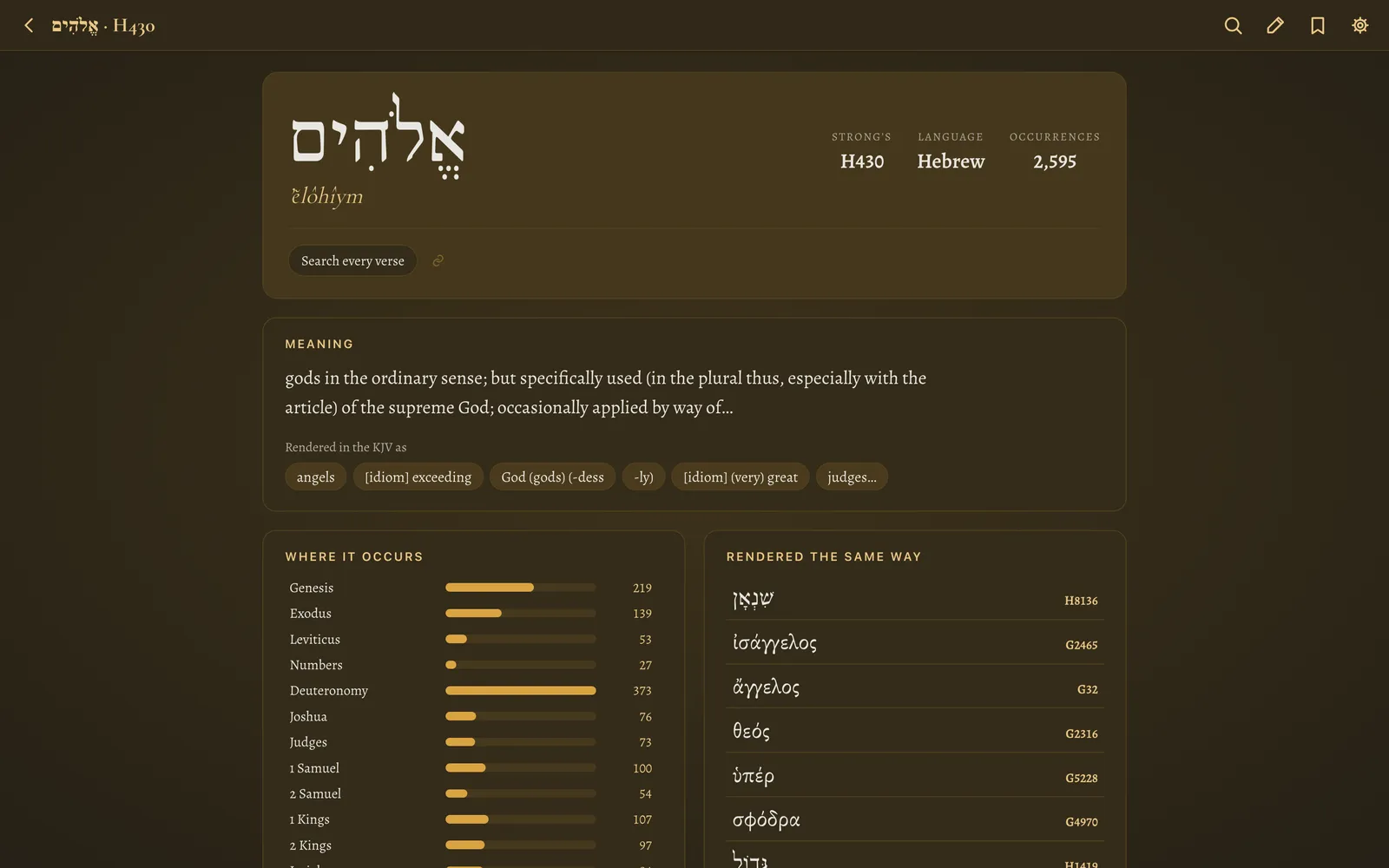
Word card
Tap a word in the reader for its Strong’s number, lemma, common renderings, occurrence count and a one-tap “find every occurrence”.
Morphology
Parsing for Hebrew and Greek words: “Verb · Qal · Perfect · 3rd masc. sing.” — from the OSHB and MorphGNT data.
Cross-references
A button on every verse opens related passages with their text, from OpenBible.info’s voted links — and each one leads to its own web of references.
Occurrence search
strong:H430 finds every verse that uses a word — across the Hebrew Bible, or across both Greek editions for G numbers.
A page for every verse
Open any verse — #/verse/GEN.1.1 or besorah verse Gen 1:1 — to see every text of it side by side (Hebrew, Septuagint, Targum, English), the interlinear, each word and its cross-references together.
Bookmarks, highlights and notes
Mark up the text the way you would a printed Bible — and take it with you.
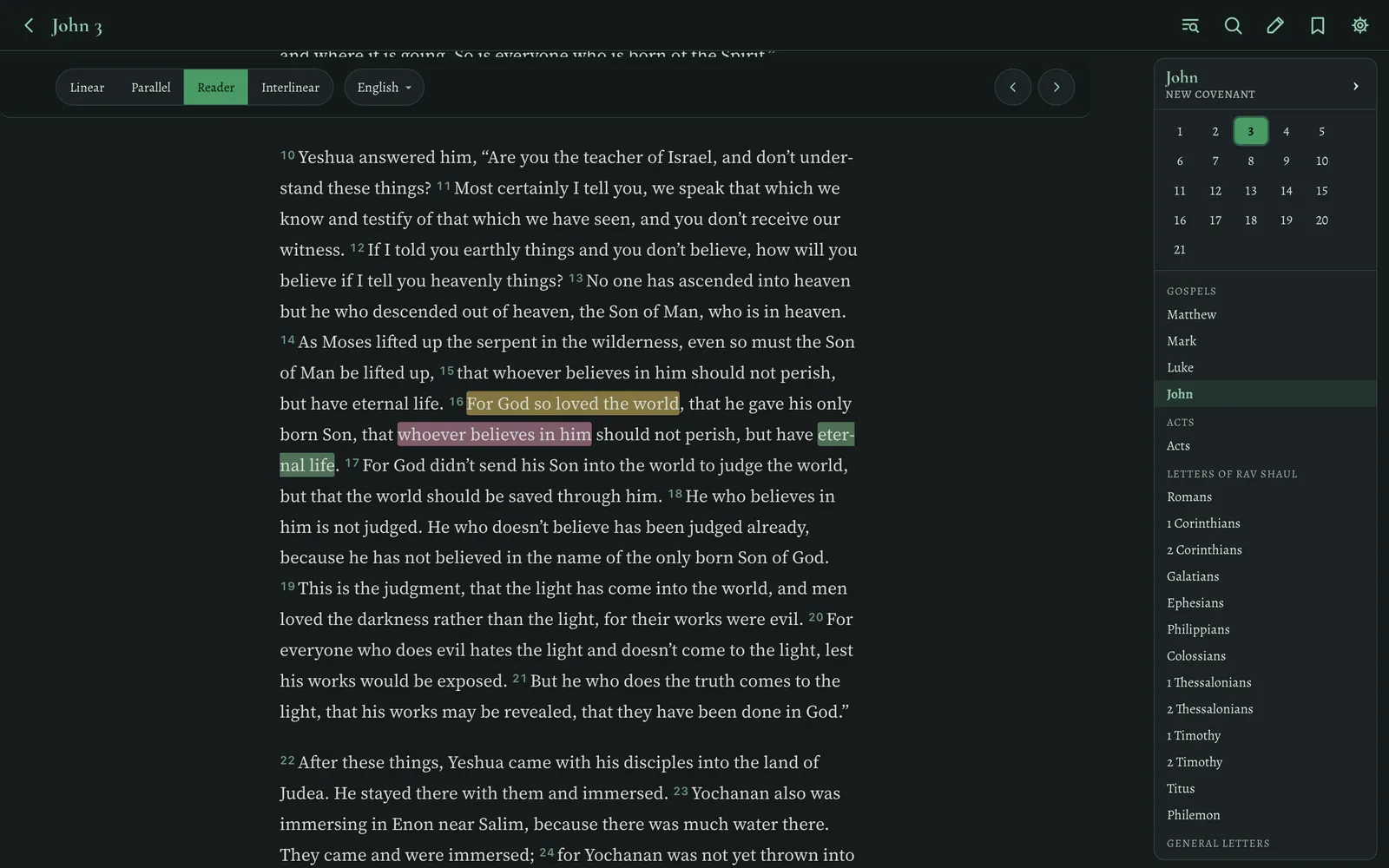
Select to highlight
- Highlights in six colours — select any words, in any language, and pick a colour
- Bookmarks — star any verse; they’re listed with the verse text
- Notes on any verse, highlight, bookmark or even a search result
- Saved views for bookmarks and highlights, filterable by colour, with-notes and sortable
- Reading progress — chapters mark themselves read as you scroll past them; every book shows a progress bar, gold when finished
- Export & import everything as a readable JSON backup (merges without overwriting), or print a saved-items report as a PDF
- Sync between your Mac and iPhone through an iCloud Drive folder — your notes stay yours, no account needed
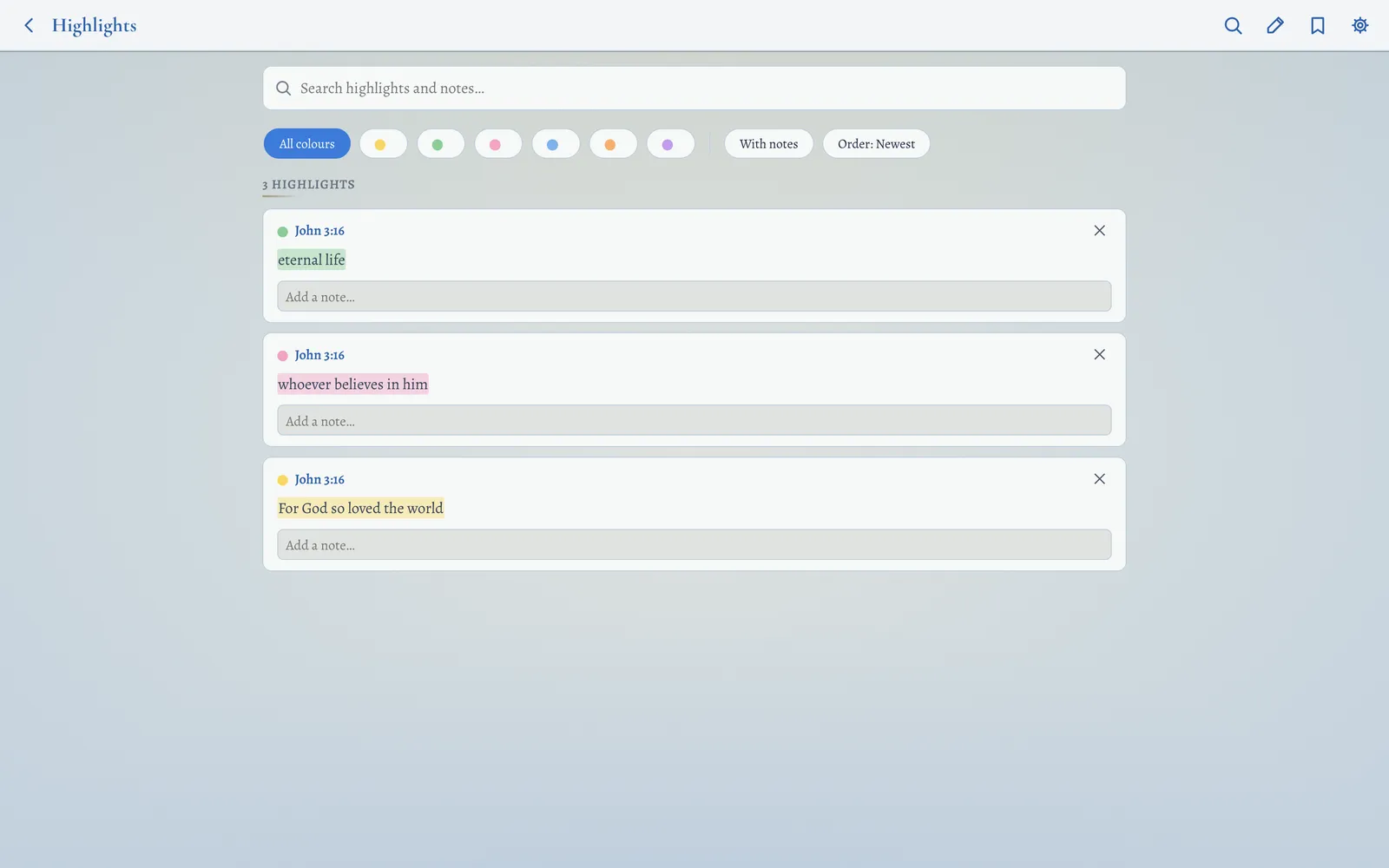
Four reading environments, five colours, two moods
Change the page, the type and the ornaments — then set the size of every language exactly how your eyes like it.
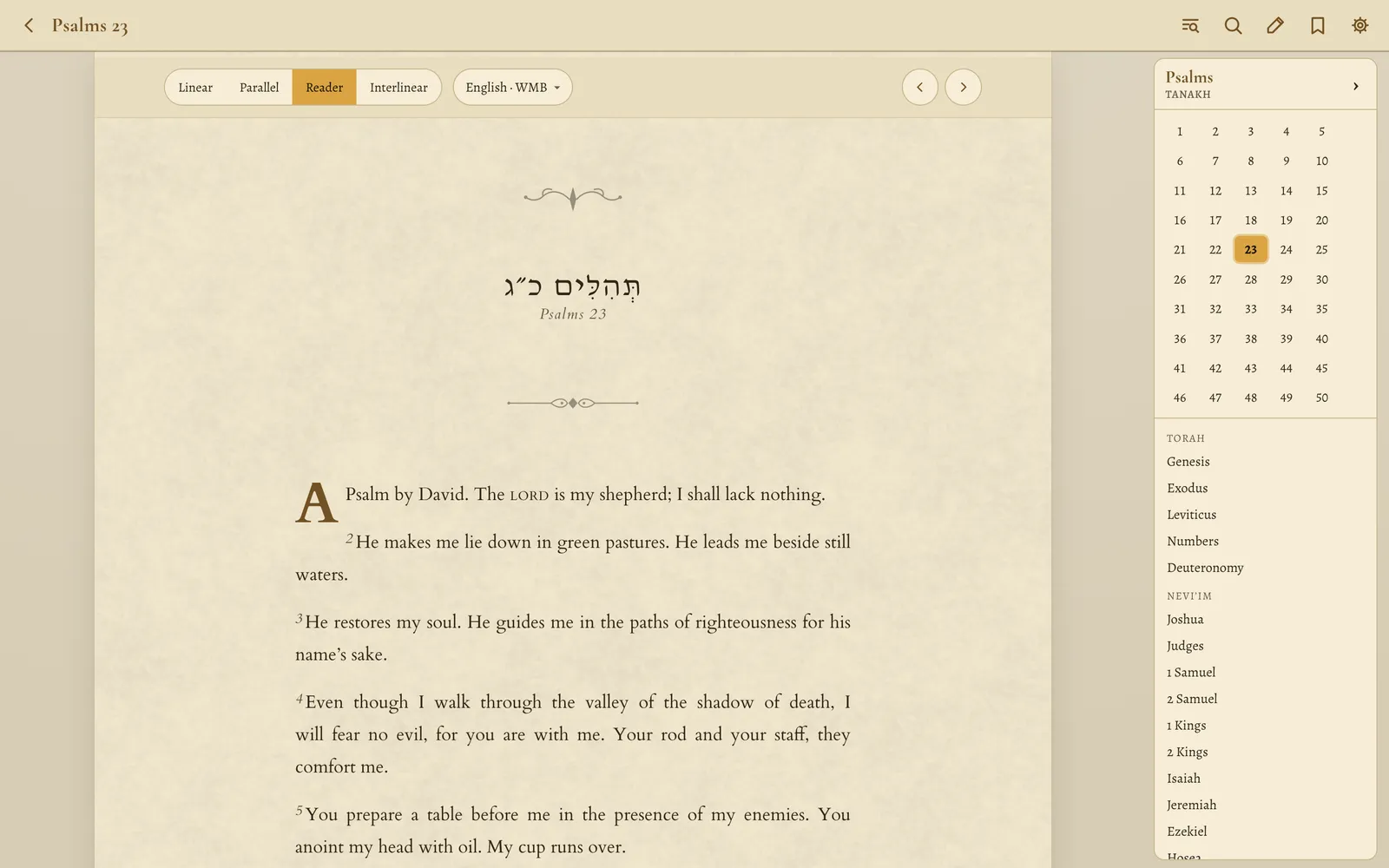
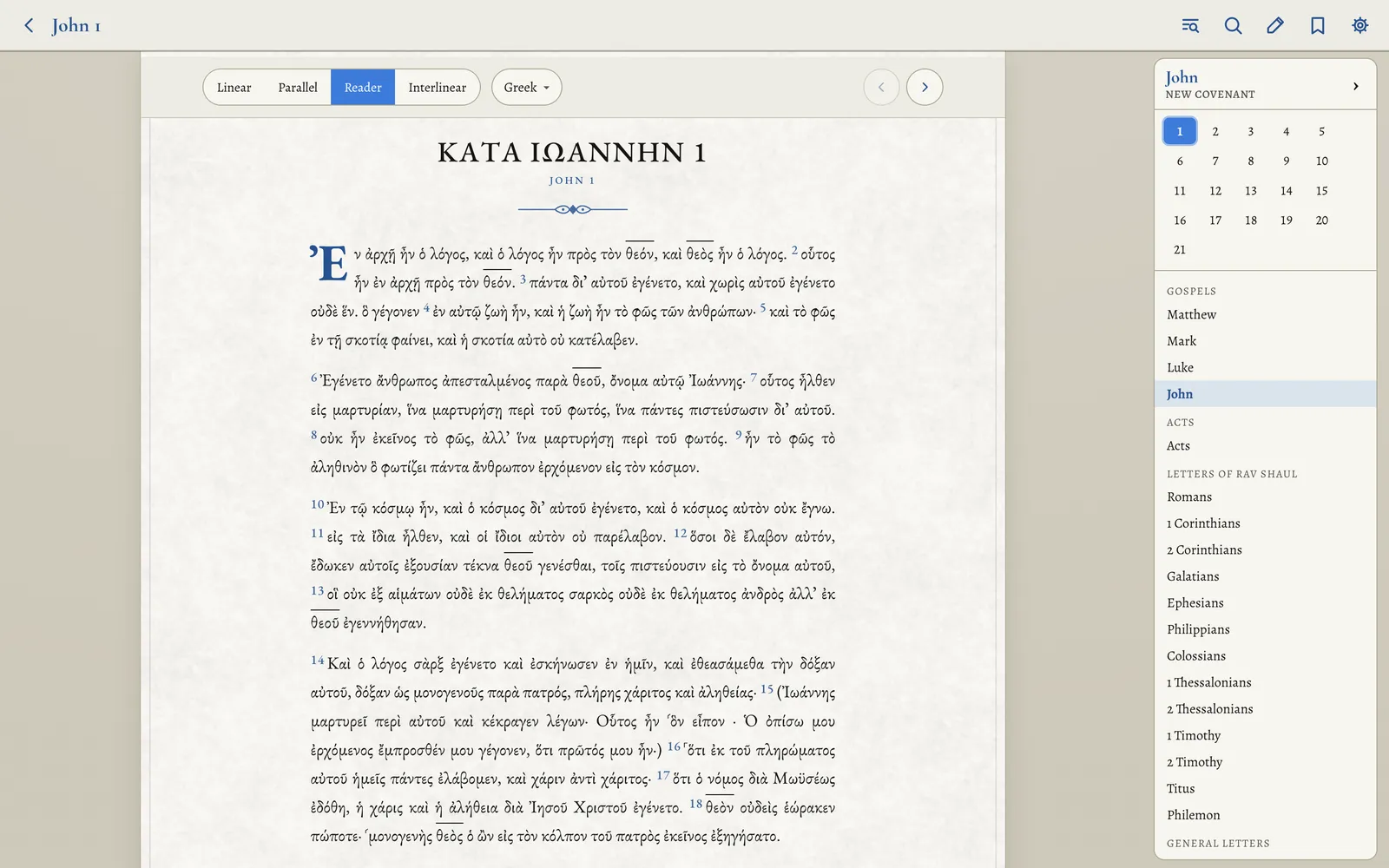
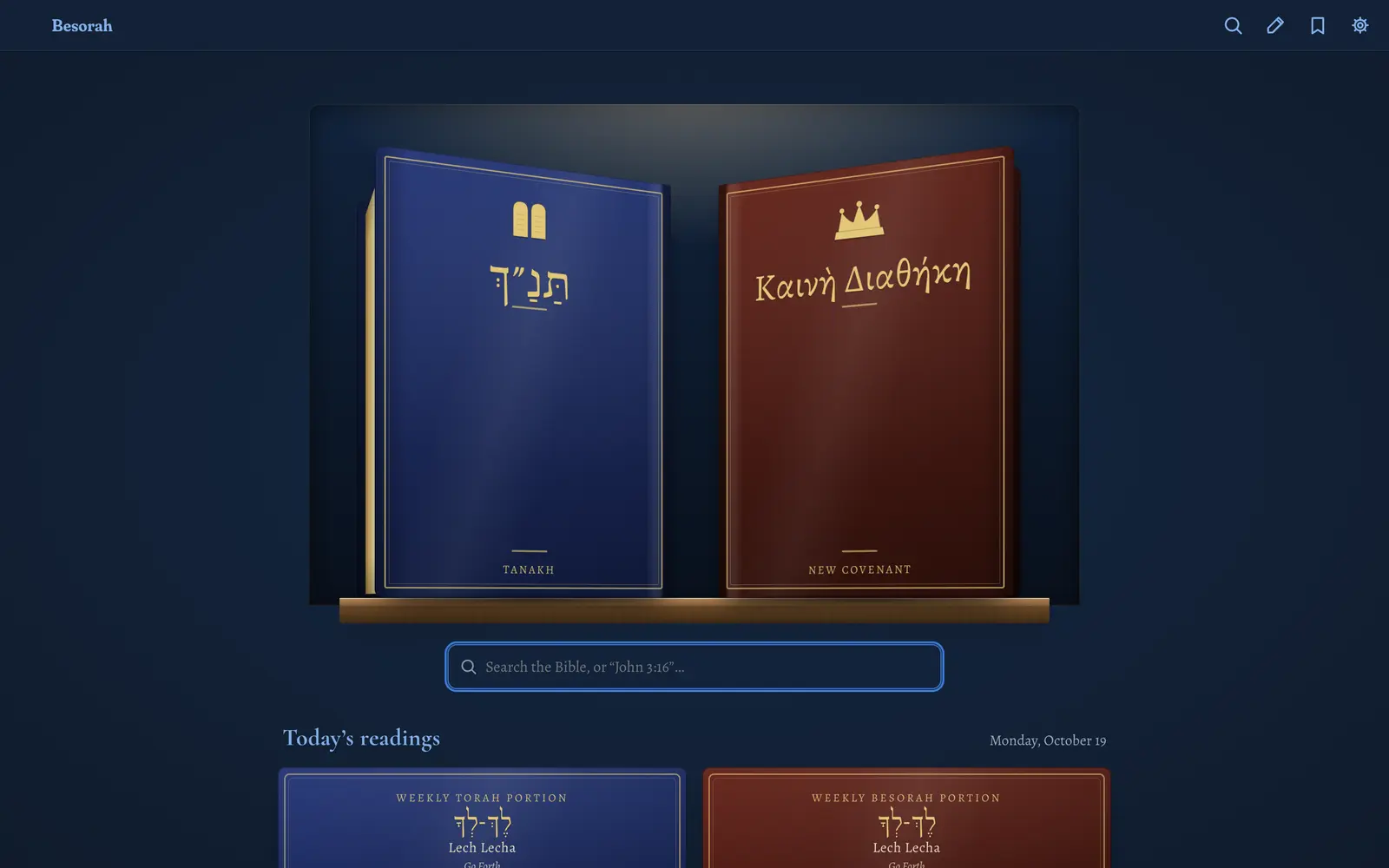
Dark & Light, tinted
Pick an accent — blue, gold, emerald, royal red or purple — and the whole app re-tints: backgrounds, ink, even the favicon.
Text sizing, per language
Independent size, weight, letter-spacing and line-height for Hebrew, Greek and English — or link the sizes so they move together. Type an exact number or drag a slider with a live preview.
Made for reading
Alegreya for Greek and English, Shofar for Hebrew, Cormorant for headings. Oldstyle figures in text, justified paragraphs with hyphenation, and gematria chapter numbers in Hebrew.
Settings that stay out of the way
Haftarah tradition, nomina sacra style, keep-screen-on while reading, a command palette (⌘K) for every action, keyboard shortcuts for everything (press ?), and chrome that tucks away as you scroll.
One app, on every screen
The same features across the web, Mac, iPhone and iPad, your terminal, and the TV.
On the web
A full installable web app — add it to your home screen and it works offline, with every book cached the first time you open it.
Mac & iPhone/iPad
Native apps with home-screen and desktop widgets — weekly portion, daily Psalms, Continue Reading, bookmarked and highlighted verses — and Siri Shortcuts. iPhone & iPad: download on the App Store. Mac App Store: coming soon.
In the terminal
A complete reader, search and Strong’s lookup on the command line, for Mac and Linux, with a free download.
On the TV
A Roku app for reading on the big screen — Hebrew, Greek and English, highlights, word study and plans — free to sideload now.
Start reading
Besorah runs the full app in your browser — free, with no account and no ads.
Web
Available now · works offline once opened · install to your home screen
Terminal · Mac & Linux
Available now · Apple Silicon, Intel, x86-64 and ARM64 downloads
Roku TV
Available now as a free sideload · install steps
Mac App Store
Coming soon
iPhone & iPad
Available now · free on the App Store