 Besorah
The whole Bible,
one command away.
Everything in the app’s texts — Tanakh, Septuagint, Apocrypha and New Testament in Hebrew, Greek and English — in your terminal. A full-screen reader you can click or type, with a command palette, layout and theme pickers; and plain-text commands for printing passages, search and Strong’s lookups.
Free · self-contained (Node included, nothing else to install) · installs into your home folder, no admin rights
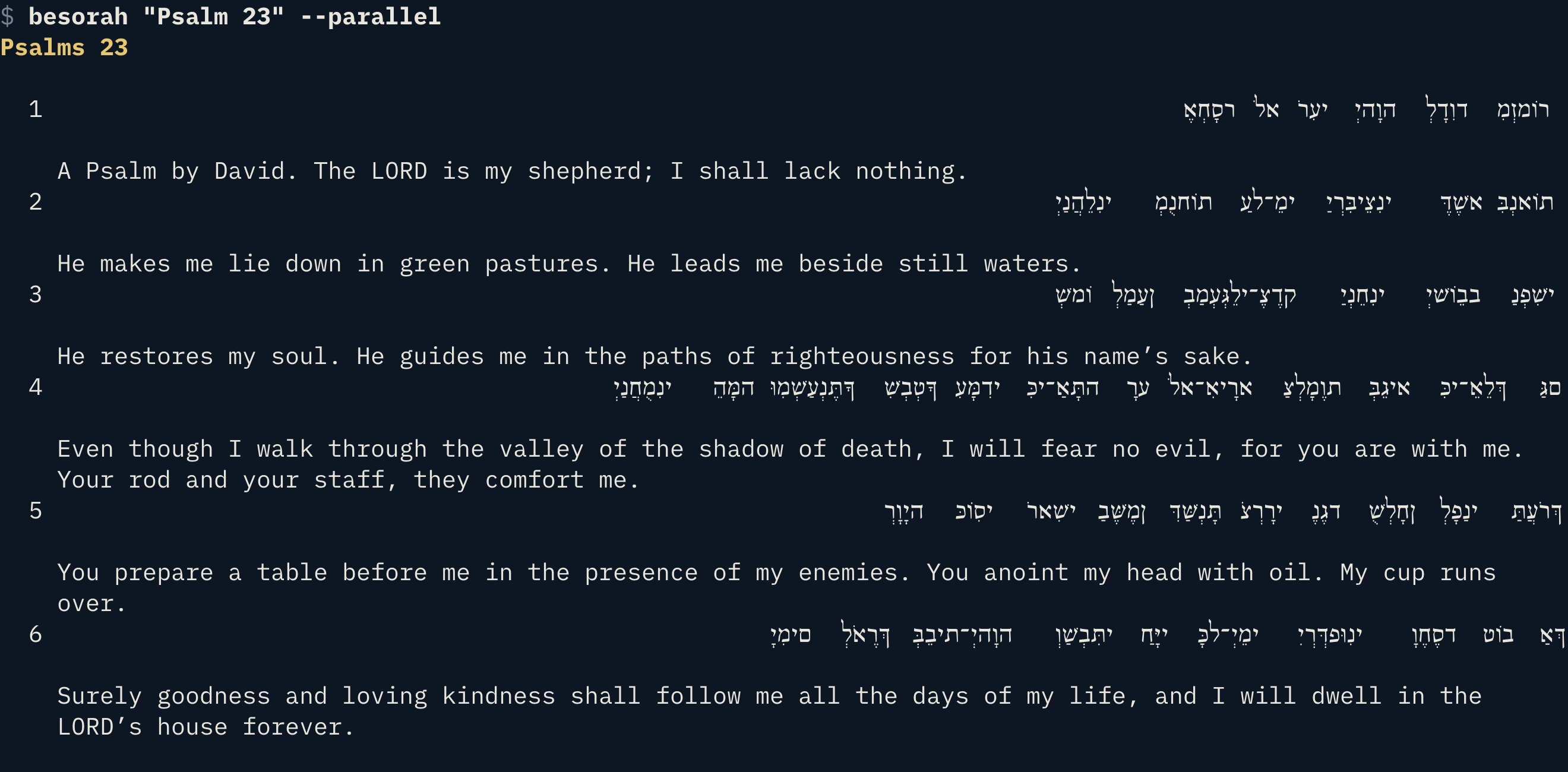
The terminal edition, running right here
This is the real terminal app, compiled to WebAssembly — nothing to install. Click around, press Ctrl-K for the command palette, read Hebrew or Greek beside the English. Bookmarks and settings stay in this browser.
Best with a keyboard. Open it full screen · jump straight to Psalm 23, John 1 or Genesis 1. It loads the text as you read, so the first chapter of each book takes a moment.
Get besorah for your computer
Each download is about 60 MB because it carries the entire Bible, its study data and its own copy of Node.
Checksums: SHA256SUMS — verify with shasum -a 256 -c SHA256SUMS --ignore-missing
Install
- Download the file for your computer above.
Not sure which Mac? Apple menu → About This Mac: “Apple M…” means Apple Silicon, “Intel” means Intel. - Open Terminal, extract it, and run the installer:
$ tar -xzf besorah-cli-0.5.2-macos-arm64.tar.gz $ cd besorah-cli-0.5.2-macos-arm64 $ ./install.sh - Open a new terminal and read:
If the installer says$ besorah John 3:16 $ besorah~/.local/binisn’t on your PATH, it prints the one line to add.
It installs to ~/.local/share/besorah-cli with a besorah command in ~/.local/bin. Remove it any time with ./install.sh --uninstall. For a system-wide install: BIBLE_PREFIX=/usr/local sudo -E ./install.sh.
A full-screen reader you can click or type
Run besorah with no arguments. Everything on screen is a button — and everything has a key, so you can use it with the mouse, the keyboard, or both.
Everything is clickable
- Layout buttons — Linear · Parallel · Reader · Interlinear, one click each
- Texts ▾ — choose which texts show: Hebrew, Septuagint, Greek, Hebrew NT and their English, side by side
- Chapter arrows ‹ 23/150 ▾ › — step through chapters, or click the number for a grid of every chapter
- Click the title to jump to any book by name
- Verse tools — Bookmark, Note, Find, Copy, mark Read, word study, cross-references
- Top bar — Commands, Search, Bookmarks, Highlights, Theme, Settings, always one click away
- The key hints along the bottom are buttons too, and so are the covers and every list row. Hover highlights what you’re about to press, and the wheel scrolls.
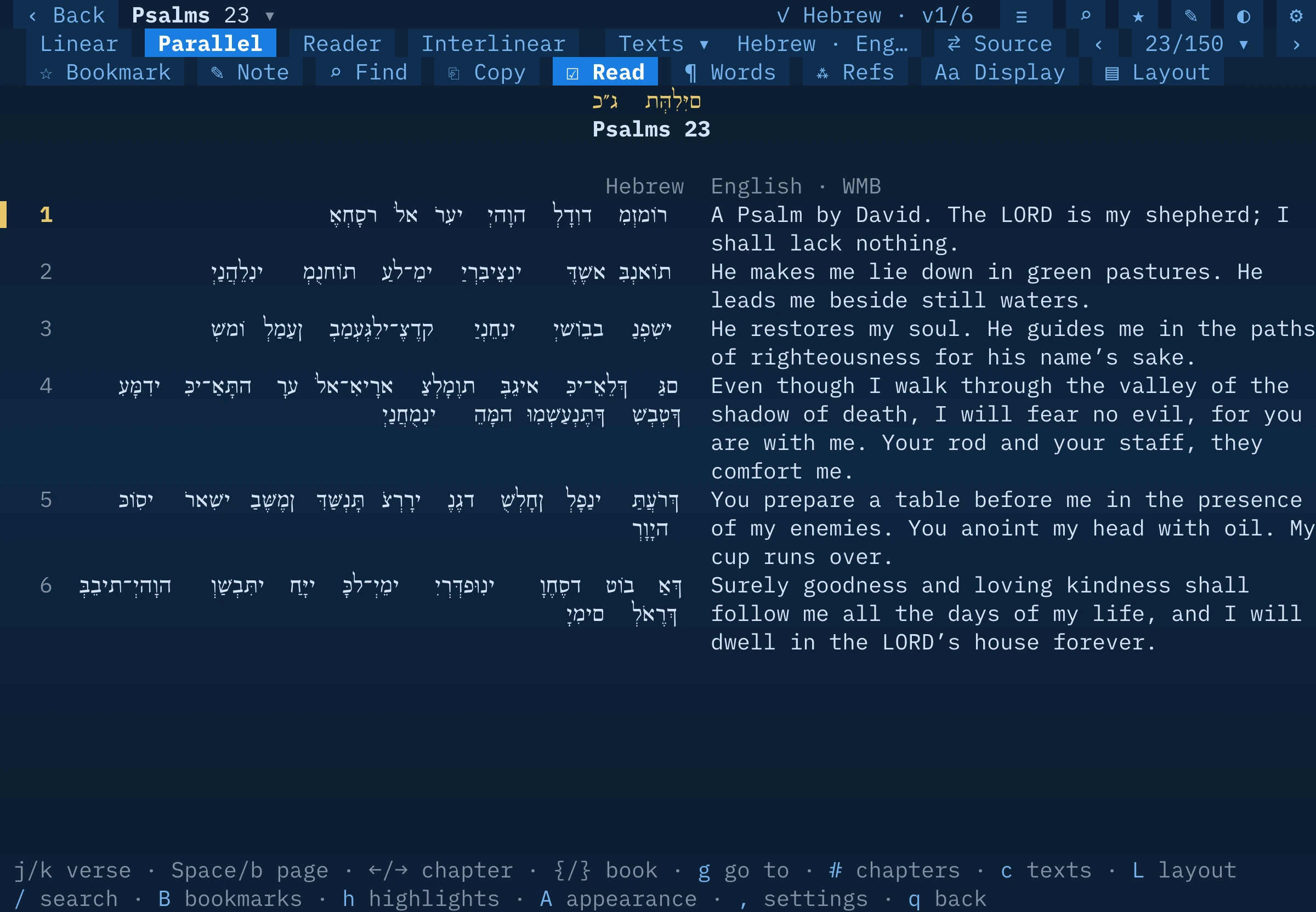
Command palette
Press Ctrl-K (or click ☰ Commands) and type. Every command in the app is one search away — and clickable, with its shortcut shown on the right so you learn the keys as you go.
- Go to a reference, a book, a chapter; continue reading
- Search, find in chapter, the Hebrew & Greek word browser, cross-references
- Switch layout, choose texts, switch source
- Bookmark, note, copy, mark read; bookmarks and highlights
- Today’s readings, Torah portions, reading plans
- Theme, colour, reading environment, Hebrew display
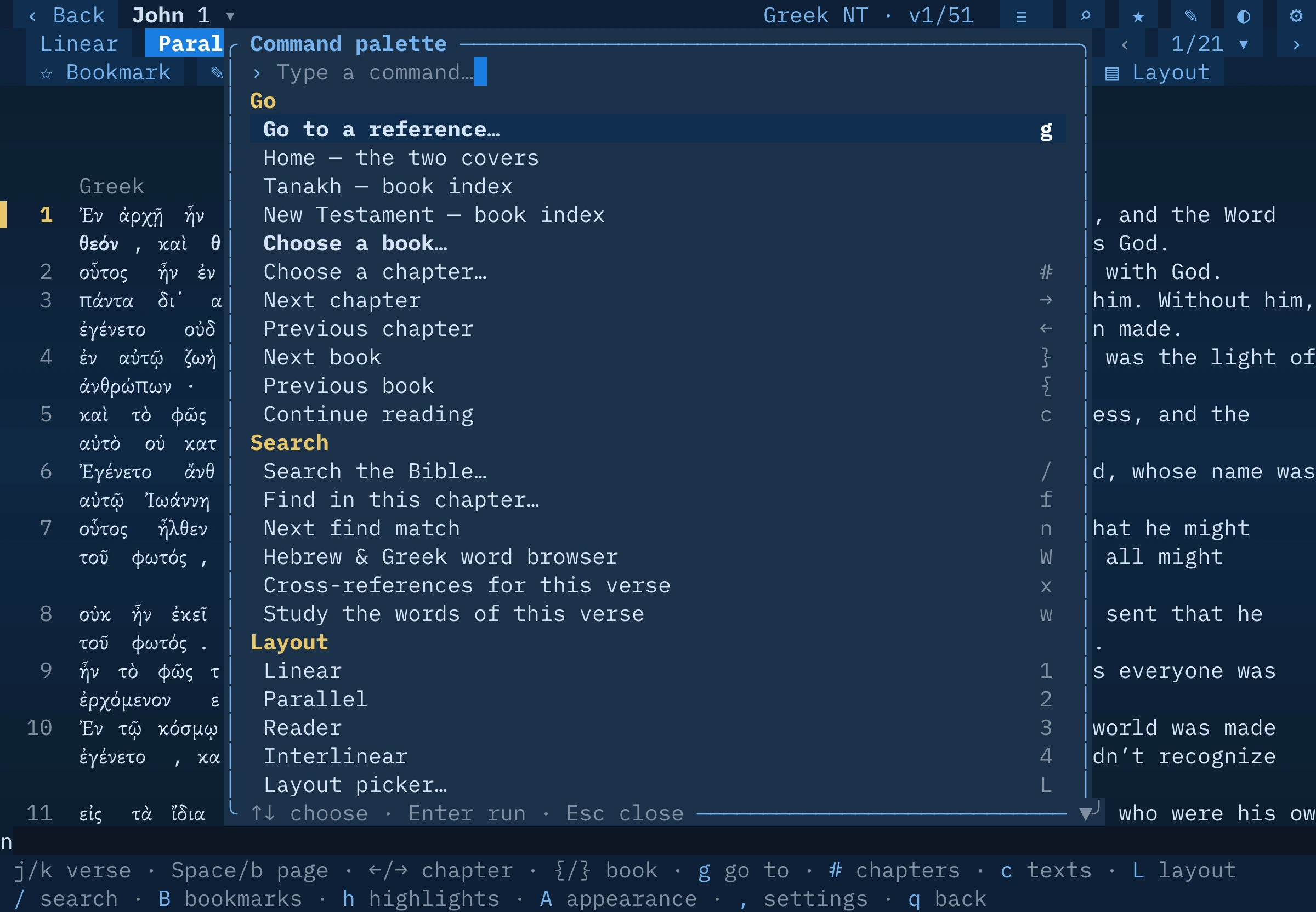
Four layouts, any combination of texts
The same reading modes as the app, in the terminal. Press 1–4, click a button, or open the layout picker with L.
Linear
Each verse with its texts stacked beneath it. Narrow terminals love it.
Parallel
Texts side by side, verse for verse: Hebrew beside English, Greek beside Septuagint — as many columns as fit.
Reader
One text flowing as prose, with the source editions’ paragraphs and poetry set in its scribal line-shape.
Interlinear
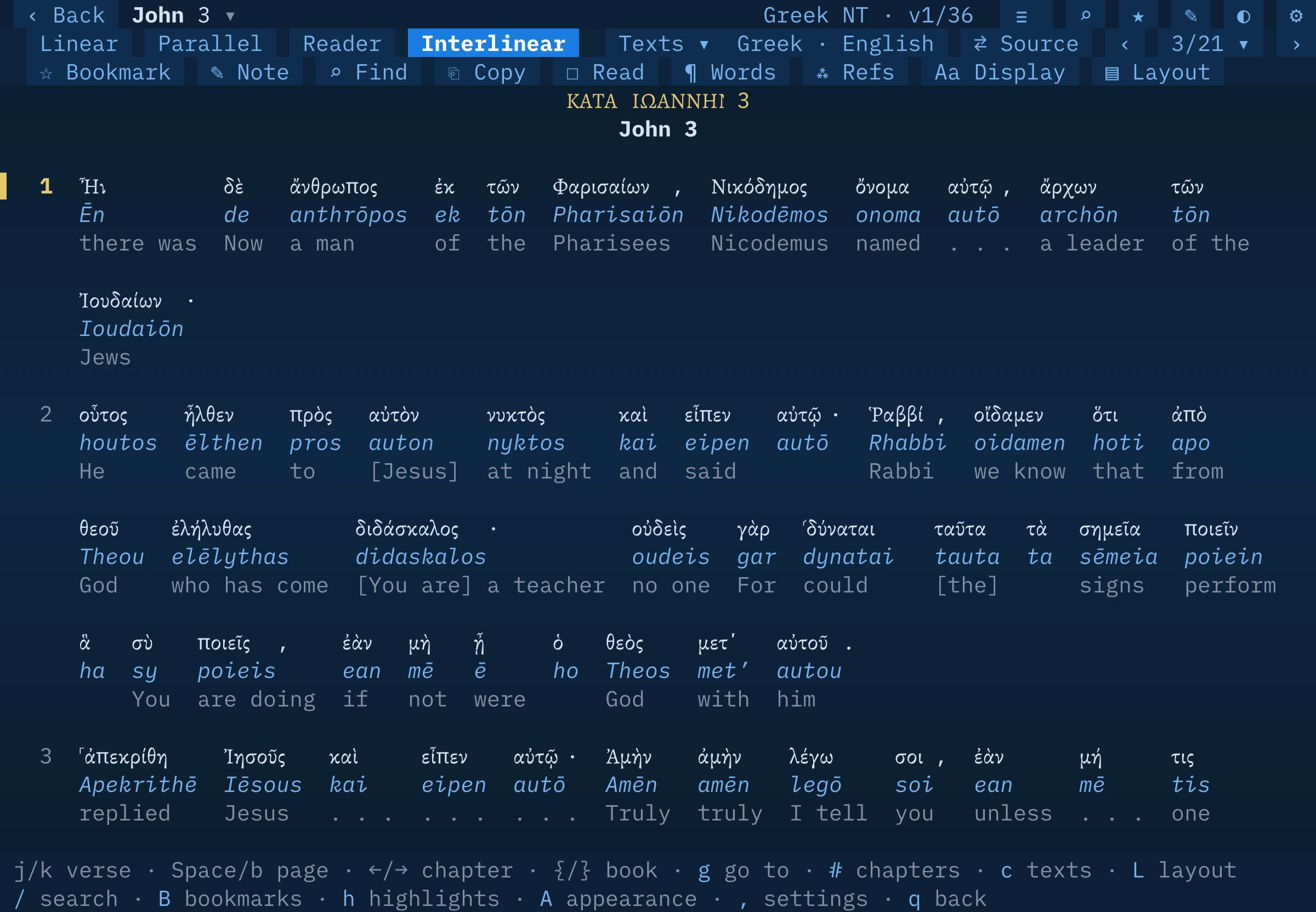
Every word stacked with its transliteration and English gloss — Hebrew Old Testament, Septuagint and Greek New Testament.
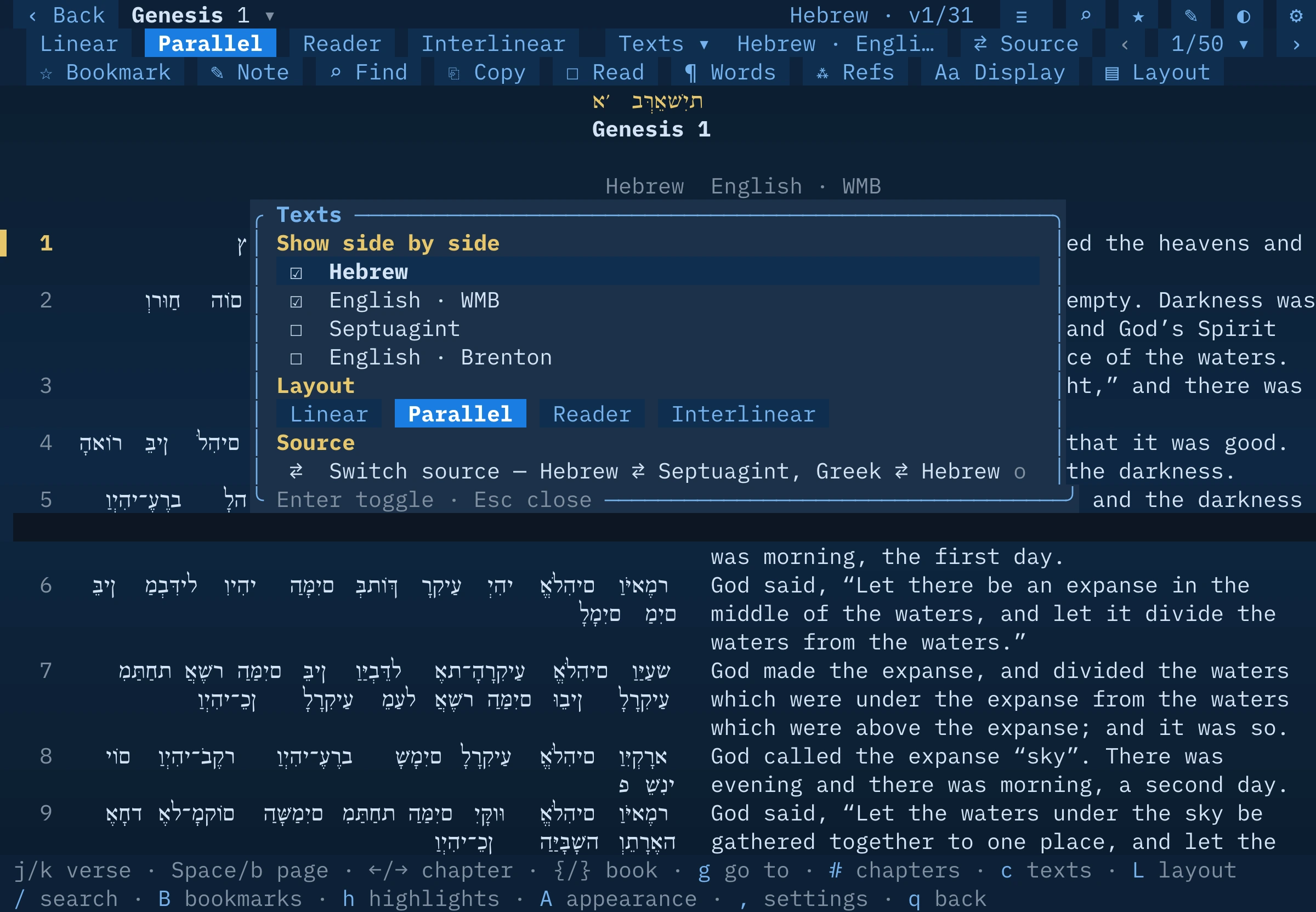
Pick your texts
The Texts picker toggles columns on and off: the Hebrew, the Septuagint, the World Messianic Bible, Brenton’s English — and in the New Testament the Greek and the Hebrew. In Reader and Interlinear it chooses the one text to read.
- Switch source (o) flips Hebrew ⇄ Septuagint, or Greek ⇄ Hebrew NT, landing on the matching chapter even where the numbering differs
- Verse-level alignment of the Septuagint to the Hebrew numbering
- Word mode (w): step through words, open a Strong’s card with parsing, and highlight a range in six colours
- Find in chapter, cross-references, bookmarks, notes and reading progress
Theme switcher, built in
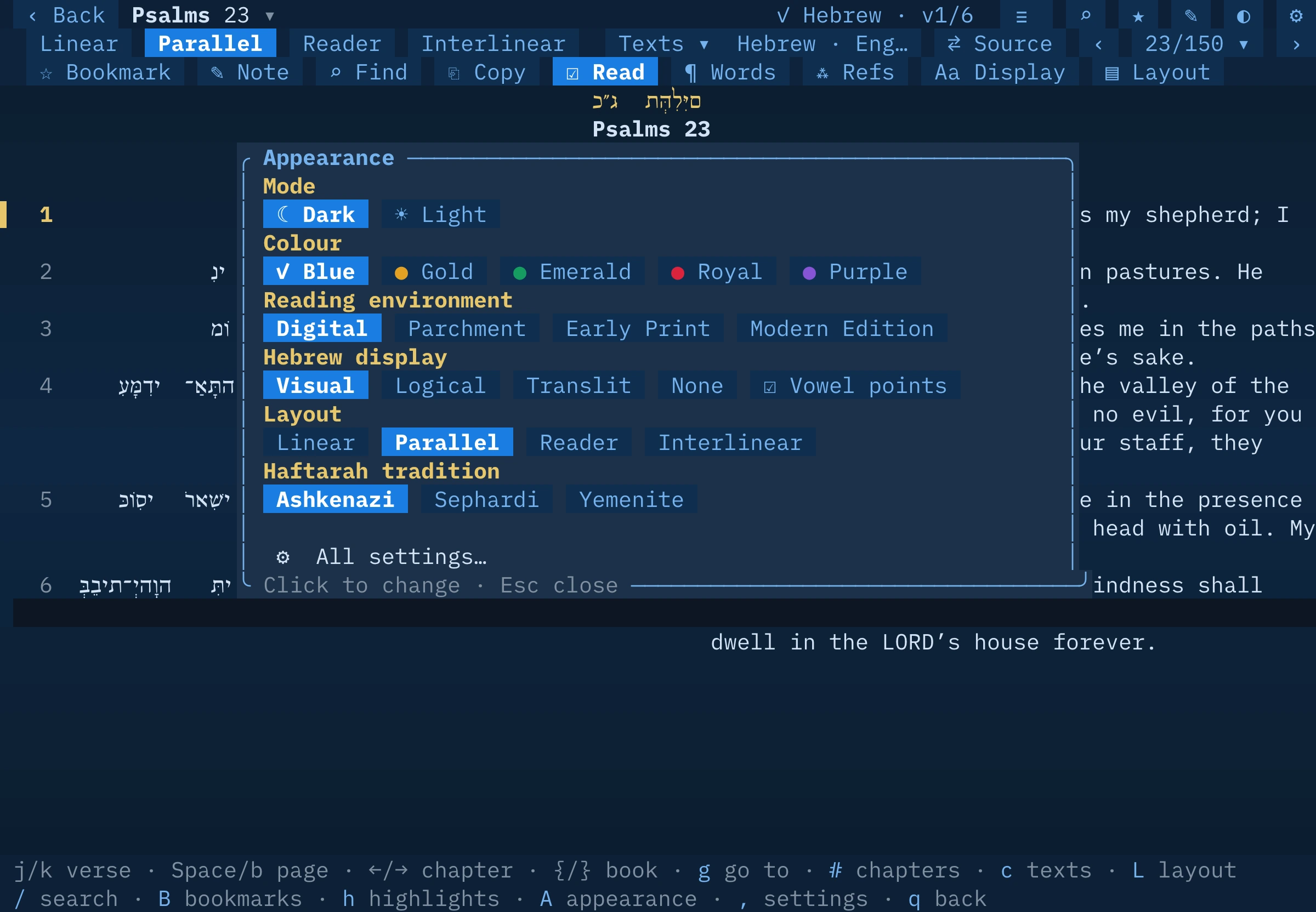
Click ◐ Theme (or press A) for a live control panel — each click re-colours the page behind it.
- Mode — dark or light
- Colour — blue, gold, emerald, royal red or purple tints every surface
- Reading environment — Digital, Parchment, Early Print or Modern Edition, in true colour
- Hebrew display — visual, logical, transliteration or off, plus vowel points on/off, for whatever your terminal can render
- Layout and Haftarah tradition (Ashkenazi, Sephardi, Yemenite)
Press d to flip dark/light and t to cycle colours at any time.
The two covers
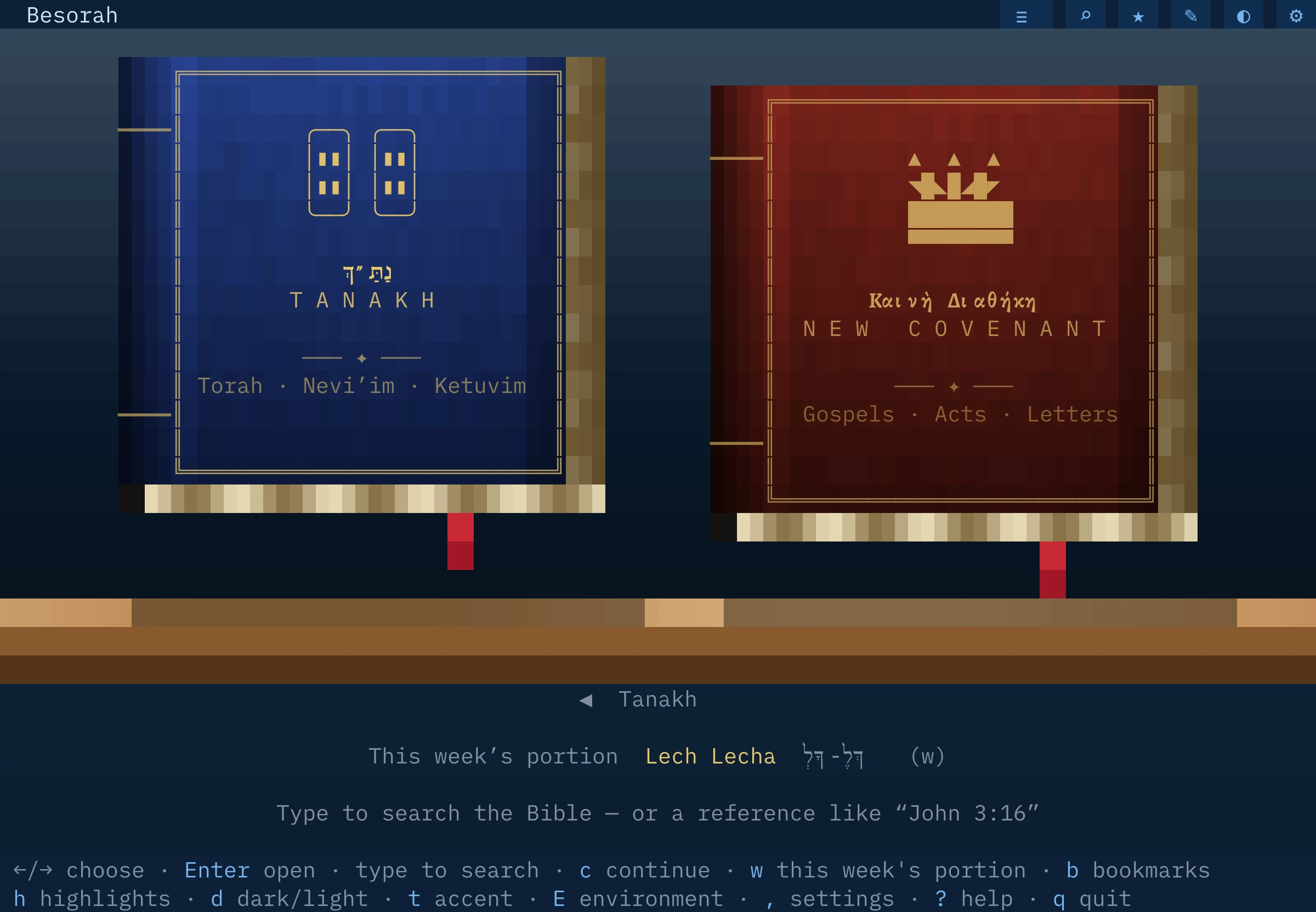
The home screen is the same shelf as the app: the Tanakh and the New Covenant as leather volumes with gold tooling, lit by the time of day. Click a cover to open it, or click Continue reading, this week’s portion, or a recently read chapter.
Every book index lists the Jewish order with reading progress, this week’s readings with checkboxes, five Psalms a day, and collections like Torah, Gospels and Paul’s letters.
And a proper command-line tool
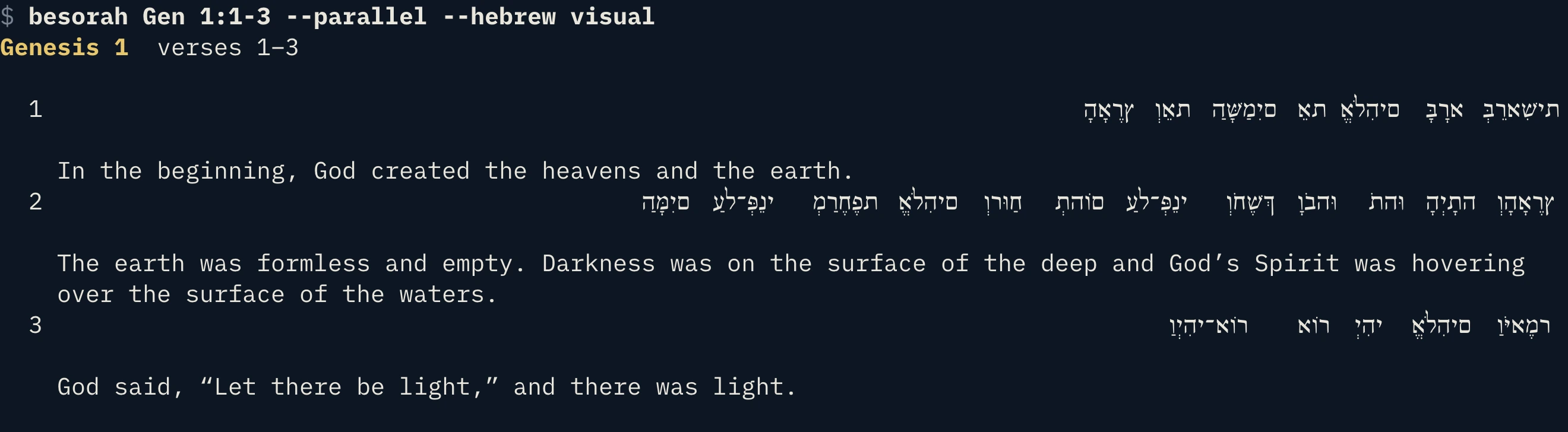
Give besorah a command and it prints text you can pipe, grep, script or paste. Colour appears only on a real terminal; --plain forces it off.
besorah John 3:16 | Print a passage. Ps 23, Gen 1:1-3, Sirach 5 and whole chapters all work. |
--he · --gr | Original text only (Hebrew or Greek). --parallel sets the original beside the English. |
--hebrew mode | visual (for terminals without right-to-left), logical, translit or none. --nikkud off drops the vowel points. |
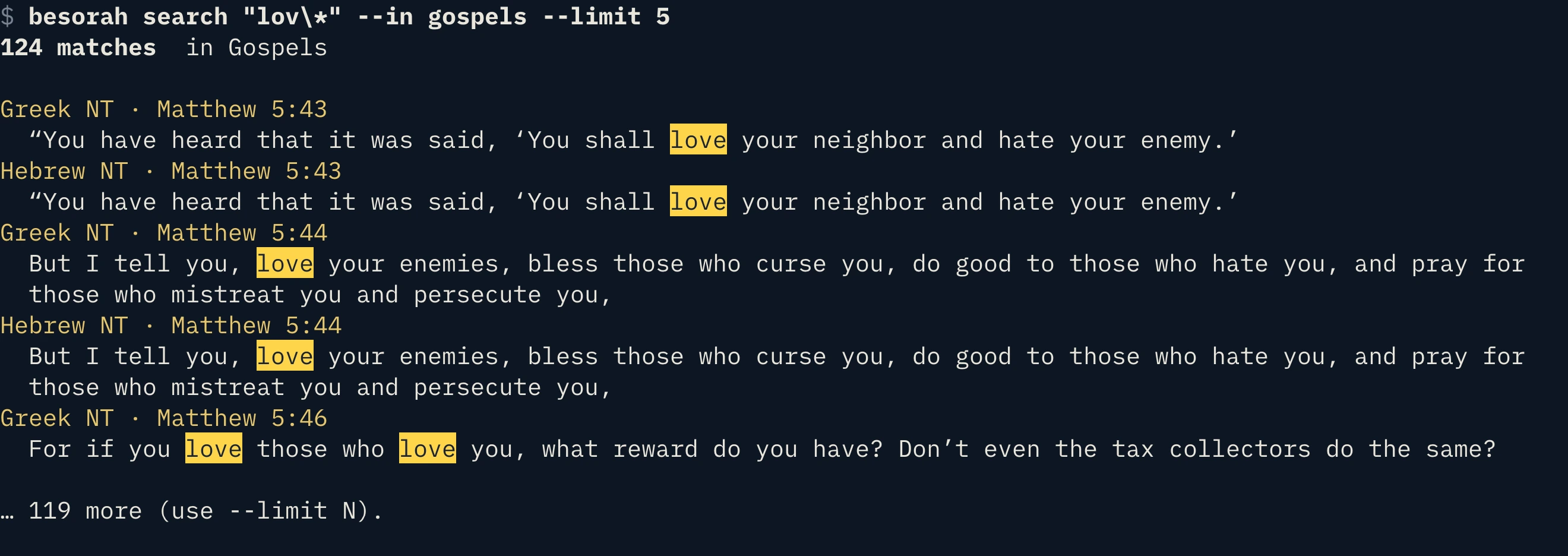
besorah search “in the beginning” | Search every text at once: lov* wildcards, "phrases", +faith -works. --in torah|gospels|paul|psalms… scopes it; --orig / --en limit the language; --whole, --case, --count, --limit N. |
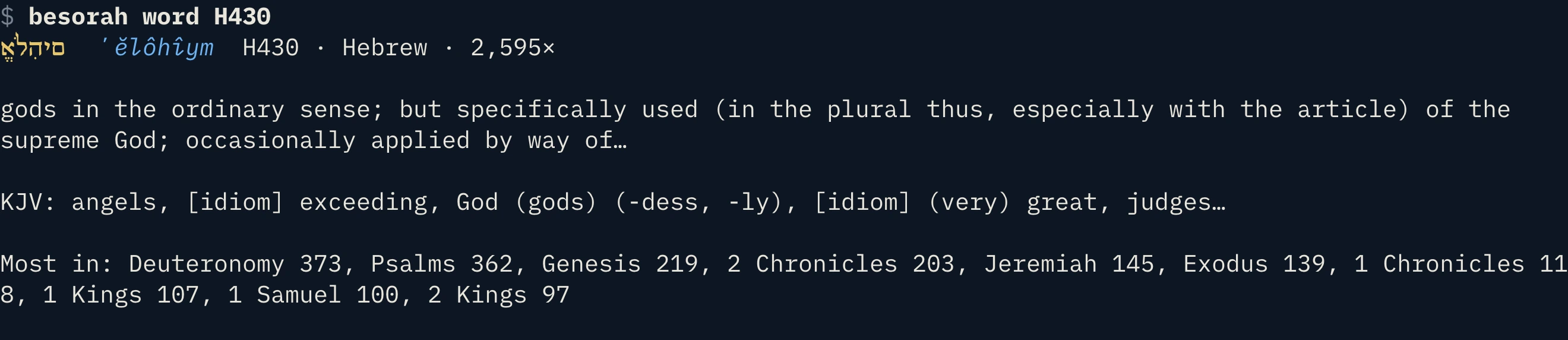
besorah word H430 | A Strong’s entry — lemma, transliteration, definition, KJV renderings, occurrences. besorah word love finds the Hebrew and Greek words behind an English one; --verses N --book lists where it occurs. |
besorah refs John 3:16 | Cross-references for a verse, with their text. |
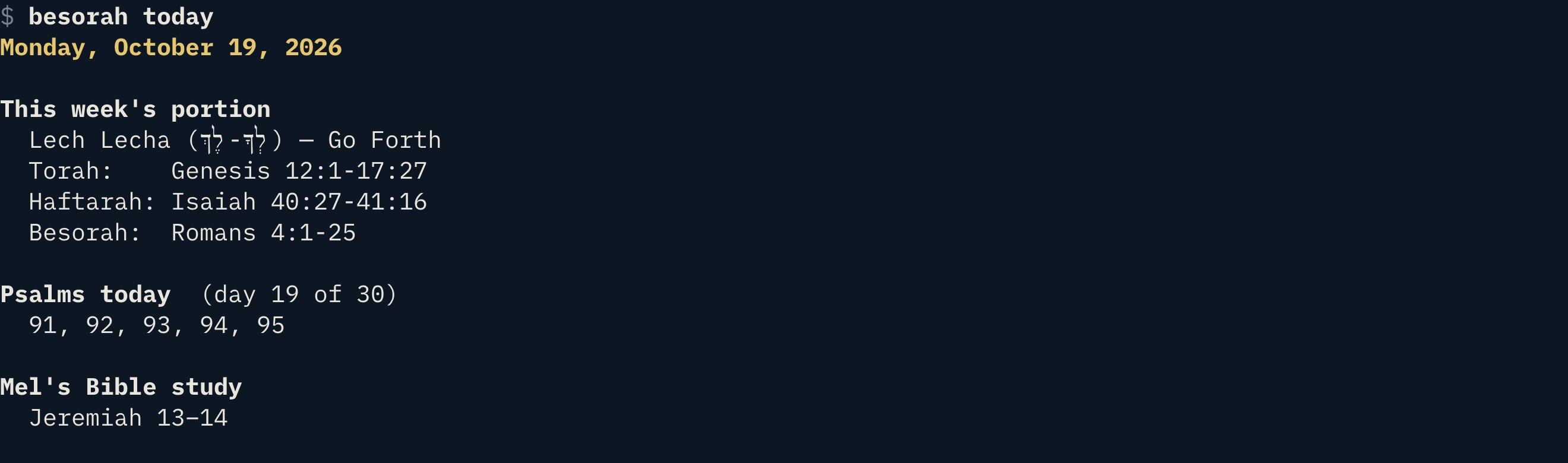
besorah today | This week’s Torah portion, Haftarah and Besorah, five Psalms a day, and Mel’s daily reading. |
besorah plan | list, start torah60, stop — Torah in 60 days, Psalms & Wisdom in 90, Gospels in 30, or the whole Bible in a year in Jewish order — with today’s chapters and progress. |
besorah saved | Your bookmarks, highlights and notes as a report; --md for Markdown to pipe into a file. |
besorah besorah://open?… | Deep links: ref= · continue=1 · today=portion|haftarah|psalms|mel · search=. |
besorah doctor · config | Check what your terminal supports, then set hebrew=… and nikkud=on|off. --width N sets the line width. |
besorah serve | LAN sync endpoint (with PIN) for the Roku app. |

Fast with the keys, too
Press ? in the reader for the full list. The essentials:
Moving
j k verse · Space page · ← → chapter · { } book · g go to a reference · # chapter grid
Layout & texts
1–4 layouts · L layout picker · c choose texts · o switch source · H Hebrew display · V vowel points
Study
w word mode · x cross-references · f find · m bookmark · e note · y copy · r mark read · 1–6 highlight in word mode
Everywhere
Ctrl-K palette · / search · A appearance · d dark/light · t colour · E environment · ~ today · R plans · , settings · q back
Questions
Do I need to install Node or anything else?
No. Each download carries its own copy of Node (the official, checksum-verified binary) and every data file. Nothing else is touched outside ~/.local.
macOS says it can’t verify the download.
Extracting with tar in Terminal (as above) doesn’t trigger Gatekeeper, and the installer also clears the quarantine flag on what it installs. If you extracted it with Finder and see a warning, run xattr -dr com.apple.quarantine on the folder first, then ./install.sh.
Which Linux distributions work?
Any current 64-bit glibc distribution (Debian, Ubuntu, Fedora, Arch…) on x86-64 or ARM64. Alpine and other musl-based systems aren’t covered by these builds.
Does the mouse work in my terminal?
Yes in any modern terminal that reports mouse events (Terminal.app, iTerm2, Ghostty, Kitty, WezTerm, GNOME Terminal, Windows Terminal over SSH…). If yours doesn’t, nothing is lost — every button has a key, and the key hints along the bottom show them.
Does it work offline?
Yes — the complete text and study data are inside the download. The only network feature is the optional besorah serve LAN sync for the Roku app.
What terminal should I use?
Any modern terminal with UTF-8 and 256-colour or truecolor — Terminal.app, iTerm2, Ghostty, Kitty, WezTerm, GNOME Terminal. Run besorah doctor to see how yours handles Hebrew and the Greek overline.
Is it the same as the Mac and iPhone apps?
It shares their texts and data and most of their features. The apps add page-style typography, widgets and Siri Shortcuts; the terminal adds scriptable commands. The iPhone/iPad app is on the App Store and the Mac App Store app is coming — meanwhile the web app runs the full app in your browser.
Where do the texts come from?
Public-domain and openly licensed editions — Westminster Leningrad Codex, Brenton’s Septuagint, the World Messianic Bible, SBL Greek New Testament, the Salkinson–Ginsburg Hebrew New Testament, with Strong’s data and morphology from Open Scriptures. See Settings → Sources and credits in the reader.