 Besorah
The whole Bible,
on the big screen.
Tanakh and New Testament in Hebrew, Greek and English, set for a living-room TV and driven by nothing but the remote. Highlight verses, keep bookmarks and notes, study the words, follow a reading plan — all offline, all free.
Free · no ads, accounts or tracking · sideloads onto any Roku in developer mode · store release planned
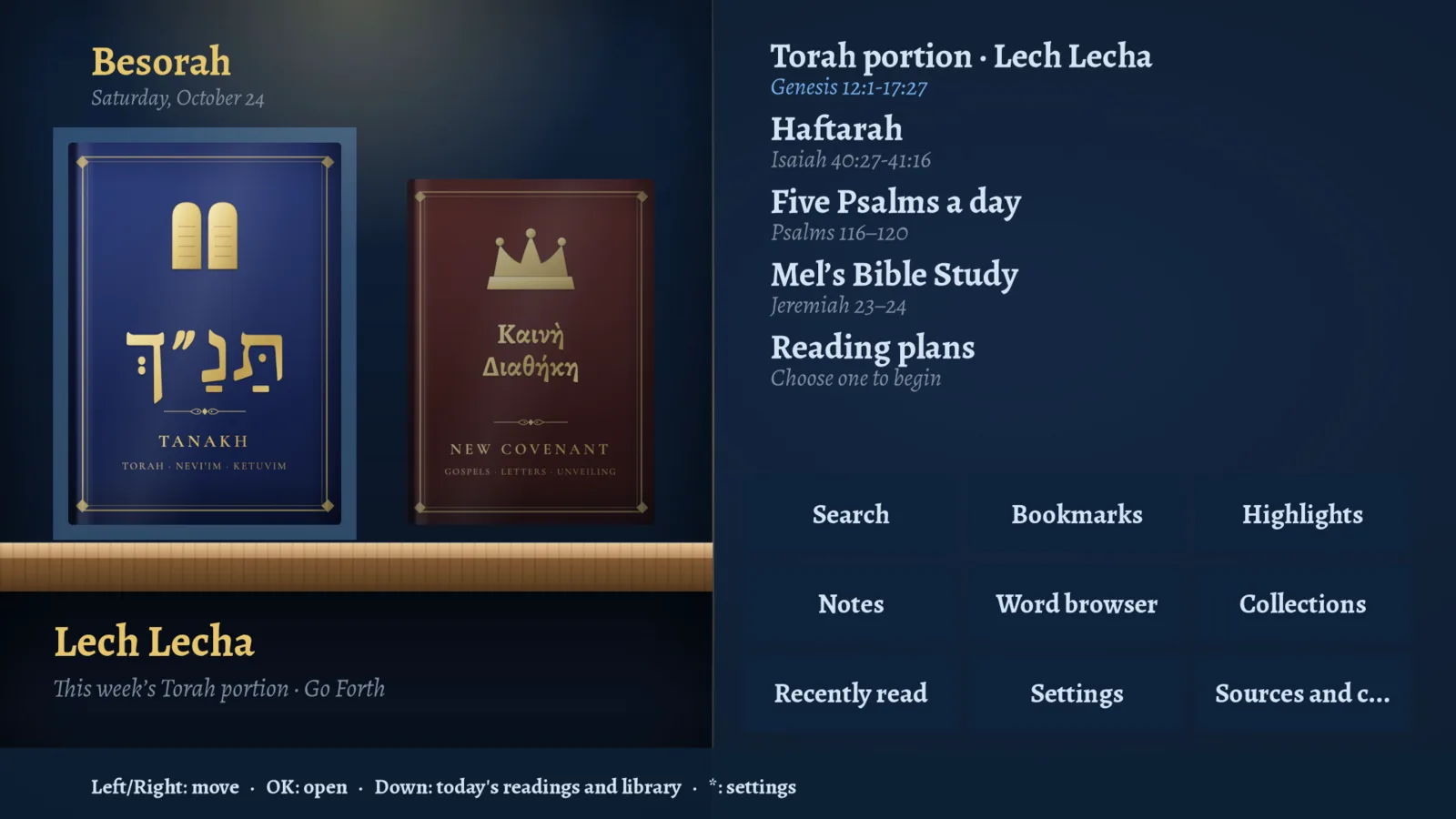
HomeTwo leather covers, this week’s portion, five Psalms a day and your reading plans.
Simulated TV — these are real frames from the actual Roku app running in an emulator. Click a thumbnail or use ← →.
Built for ten feet and a d-pad
The same texts, order and covers as the app and the terminal — rearranged so every action is a focus move and a button press.
Hebrew, Greek, English
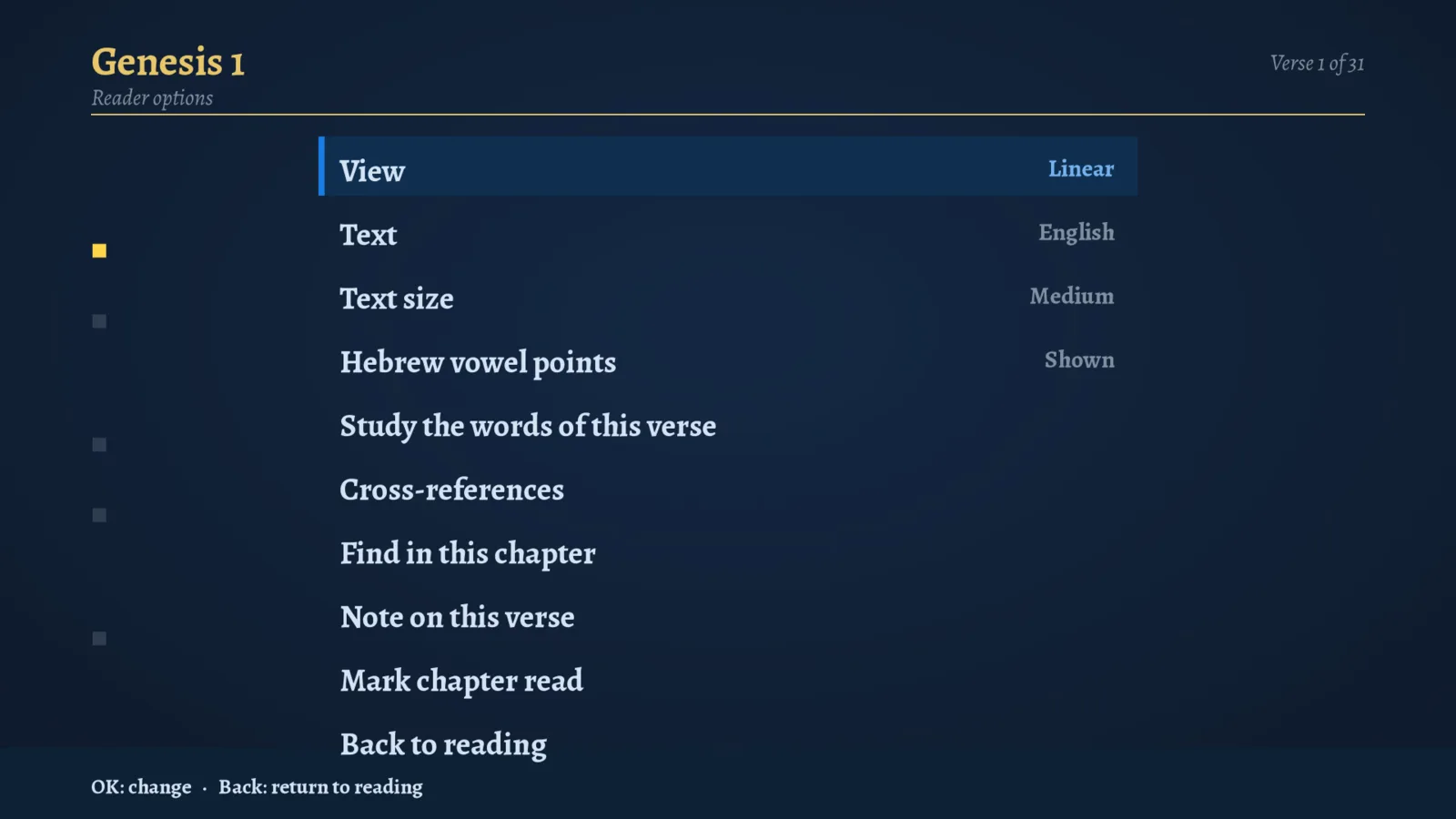
The Tanakh in Hebrew with the World Messianic Bible, the Septuagint, and the Greek New Testament — in the traditional Jewish book order. Switch text from the reader’s options.
Four views
Linear verses, flowing Reader prose, Parallel with the original beside the English, or Interlinear for the Hebrew and Greek. Songs keep their line-shape.
Mark as you read
Move verse to verse, press OK to highlight in six colours, Play to bookmark. Notes use the on-screen keyboard. Progress is remembered per chapter.
Word study
Step through a verse word by word for its Strong’s number, transliteration and definition; browse every Hebrew and Greek word; see cross-references.
Today’s readings
This week’s Torah portion and Haftarah (Ashkenazi, Sephardi or Yemenite), five Psalms a day, Mel’s Bible Study, and four reading plans.
Search
Full-text search across the Bible with scopes like Torah, Gospels or Psalms, plus find-in-chapter.
Look & feel
Dark or light, five accent colours and the reading environments — the whole screen re-tints, covers included.
Works offline
The texts are inside the channel. Only word study, interlinear and cross-references stream small files when you open them.
Hebrew is set by the app itself (pre-ordered right-to-left lines), because a Roku has no right-to-left text engine. Not yet on the TV: the Targumim, regex search and the Septuagint interlinear. See the web app or terminal edition for those.
Everything on one remote
- ◀ ▶ ▲ ▼Move; on a cover, open the book
- OKOpen · highlight the verse · change a setting
- ▶❚❚Bookmark the verse
- ✱Options: text, view, size, word study, find, notes
- ◀ ▶In the reader: previous / next chapter
- BackUp one level; returns home
Install it on your own Roku
Besorah isn’t in the Roku Channel Store yet, so for now it installs the way Roku developers install their own channels — free, from your computer, in a couple of minutes. A Roku developer account is not needed to sideload.
Checksums in SHA256SUMS. The zip is the channel’s own source — BrightScript, SceneGraph and the bundled texts — so any Roku developer can read exactly what runs.
1. Turn on developer mode (once per TV)
- On the Roku remote press Home ×3, Up ×2, Right, Left, Right, Left, Right.
- In the screen that appears choose Enable installer and restart, accept the agreement, and set a password (remember it). The TV restarts.
- Find the TV’s address under Settings → Network → About, e.g.
192.168.1.25. Your computer must be on the same Wi-Fi.
2. Install the channel
In the browser: open http://<your-roku-ip>, sign in as rokudev with your password, choose Upload, pick besorah-roku-0.2.4.zip and press Install.
Or from a terminal (Mac/Linux):
$ chmod +x besorah-roku-install.sh
$ ./besorah-roku-install.sh 192.168.1.25 your-password besorah-roku-0.2.4.zip
Besorah opens on the TV right away, and stays in the channel list as the developer channel.
besorah serve from the terminal edition and choose Settings → Sync with computer on the TV.
Questions
Will it come to the Roku Channel Store?
That’s the plan. Until the store release the sideload above is the way to get it, and the same channel is what will be submitted — so what you try now is what ships.
Is it safe to sideload?
Developer mode only lets you install channels you choose, on your own network. The zip has no hidden parts: it’s the channel’s source and the text data, and it asks for nothing but your TV’s network to fetch word-study files. There are no accounts, ads or analytics.
Are those screenshots from a real TV?
They’re frames from the real channel, running unmodified in the open-source brs-engine Roku emulator and driven with simulated remote presses. A real TV looks the same apart from the video chrome around it.
Does it need internet?
No for reading, search, highlights, bookmarks, plans and settings. Word study, interlinear and cross-references stream small per-book files from the web app when you open them.
The install page asks for a username.
It is always rokudev; the password is the one you chose when enabling developer mode.
Which Rokus work?
Any current Roku TV, Streaming Stick or Ultra that can enter developer mode. The channel is laid out for 1080p and scales on 4K sets.